Locations:





Tips for caregivers on paper recordkeeping
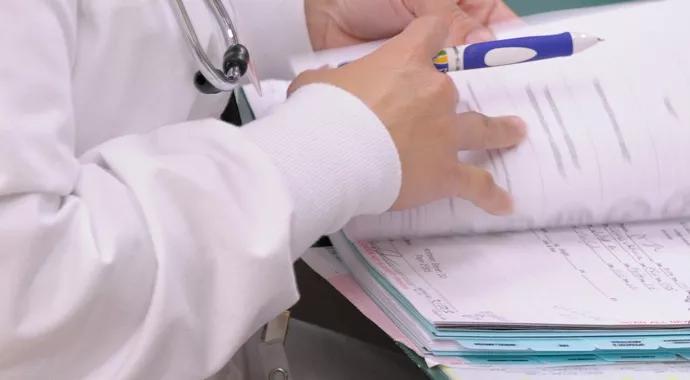
Image content: This image is available to view online.
View image online (https://assets.clevelandclinic.org/transform/002759ce-9485-40e8-aae0-a9558397e2be/records_690x380_jpg)
records_690x380
By Nelita Zytkowski, DNP, MS, BSN, NEA-BC, RN-BC
Advertisement
Cleveland Clinic is a non-profit academic medical center. Advertising on our site helps support our mission. We do not endorse non-Cleveland Clinic products or services. Policy
Electronic documentation has improved our world in so many ways. We have instant access to patient information through faster, channeled and more precise ways. But what happens when our real-time, instant access to information is shut off? While technology is critical to nurses, Cleveland Clinic encourages caregivers to keep a few things in mind when electronic medical records “take a day off.”
System downtimes occur for many reasons. Sometimes you know in advance that routine maintenance or enhancement installations will be performed. Occasionally, unscheduled system outages occur, revealing just how dependent we have become on automated solutions and technology.
When our electronic medical record system goes down many caregivers have to retrain themselves on how to document, retrieve and share information that is manually collected. This paradigm shift often feels like someone has tied your dominant hand behind your back and asked you to finish your work with the opposite hand: The task is technically possible, but it’s slow, labor intensive and, at times, uncomfortable. Additionally, most new nurses have only known electronic charting, so there is no such thing as “going back to paper.”
There are a few key tips that all clinicians should keep in mind when documenting on paper records during system downtimes.
Advertisement
No one likes when the EMR system takes a day off, but the unfortunate reality is that electronic systems sometimes experience downtimes. While most planned downtimes happen during off hours, each caregiver must be ready to respond and continue with care of patients at any time. Be prepared by brushing up on your paper documentation skills.
Nelita Zytkowski, DNP, MS, BSN, NEA-BC, RN-BC, is the Associate Chief Nursing Officer of Nursing Informatics at Cleveland Clinic.
Advertisement
Advertisement
Nurses play key role in comprehensive lifetime treatment program
Customized bots improve speed, efficiency by streamlining daily clinical, clerical tasks
Nurses play pivotal role in patients’ ability to recover in the comfort of their own homes
New protocol reduces costs, increases patient and caregiver satisfaction
Advocating for patient safety is imperative in fast-paced surgical settings
M-Power program improves the perinatal experience for people who have survived abuse

Advice for those pursuing a WOC nursing career
Veteran nurse shares his experience as a caregiver and community volunteer
 Search